A checklist on every buy button
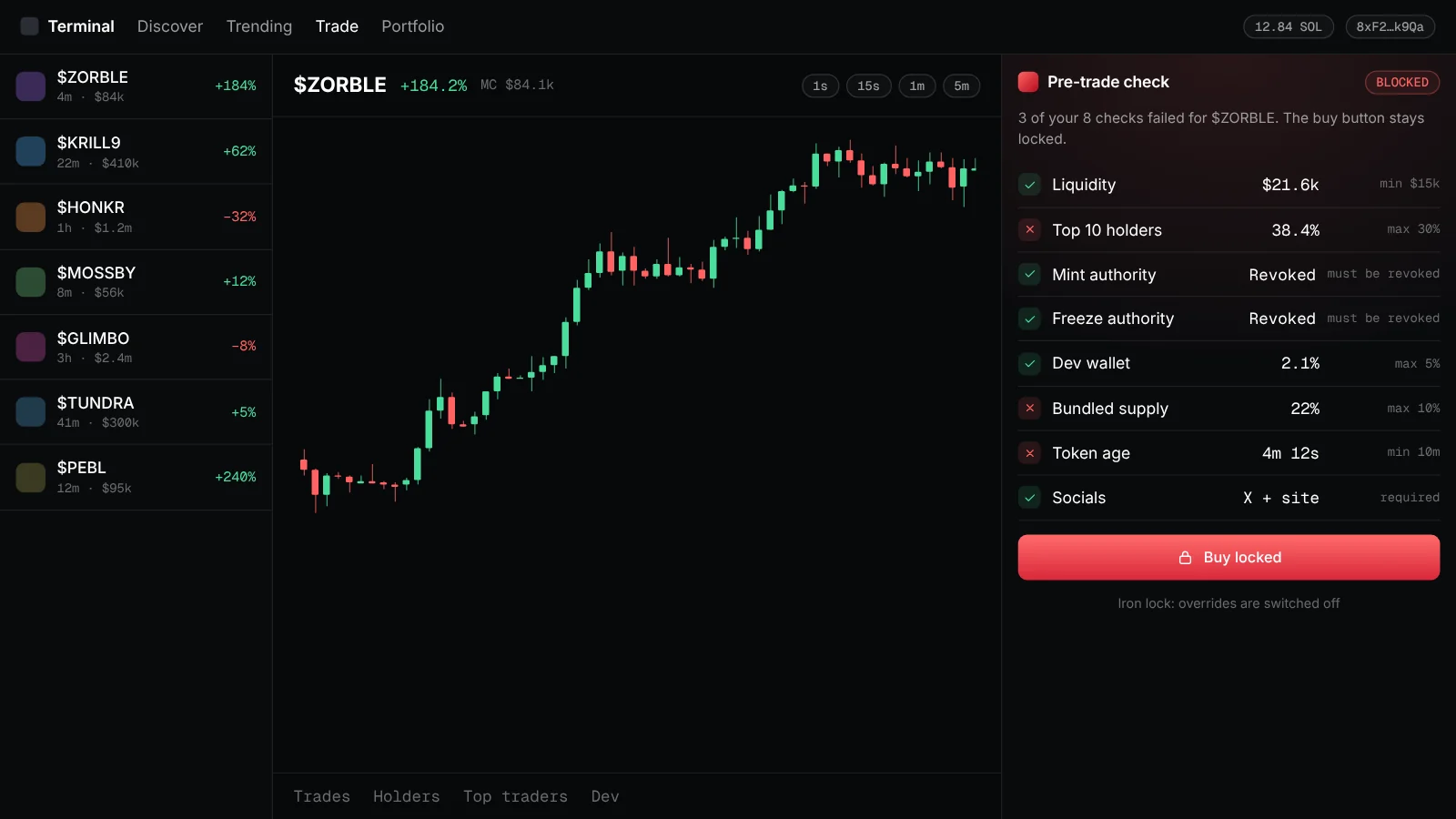
Vigil scores each token against your minimums before the order can go through, and shows exactly which check failed.
Discipline, enforced
Your rules. Kept.
AI trading agent for Chrome
Vigil lives in your browser and enforces the rules you set while calm.
It locks you out, takes profit and cuts losses when you won't.
CA:
Chrome · Brave · Edge · Arc · Never asks for your keys
Five trades a day. Half out at 2×. Nothing over 0.5 SOL. No buys after 1 am. Pick from more than 40 rules, or describe one in plain English and Vigil turns it into something it can enforce.
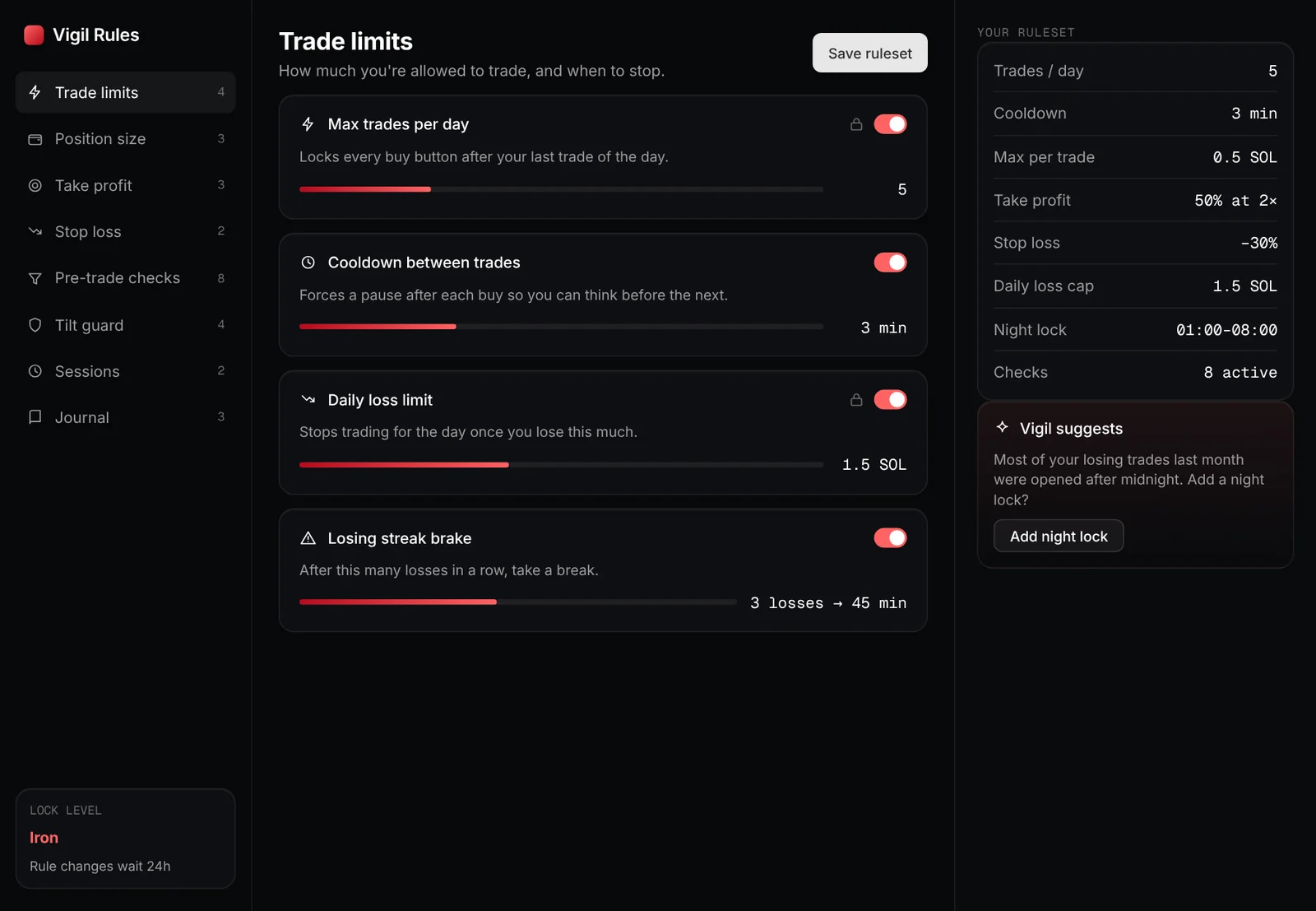
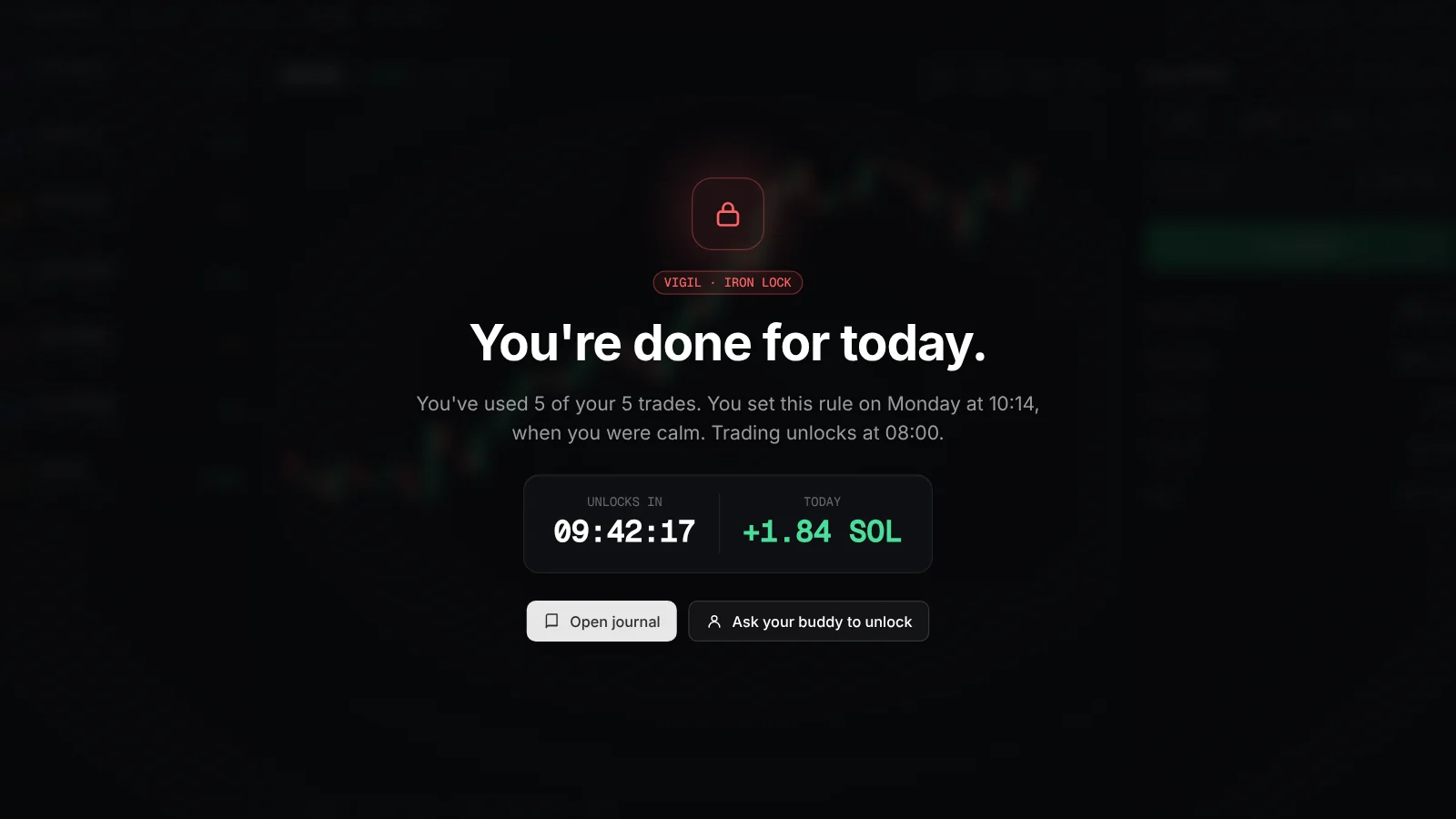
When you use your last trade or reach your daily loss cap, Vigil greys out every buy button on your terminal until the time you chose.
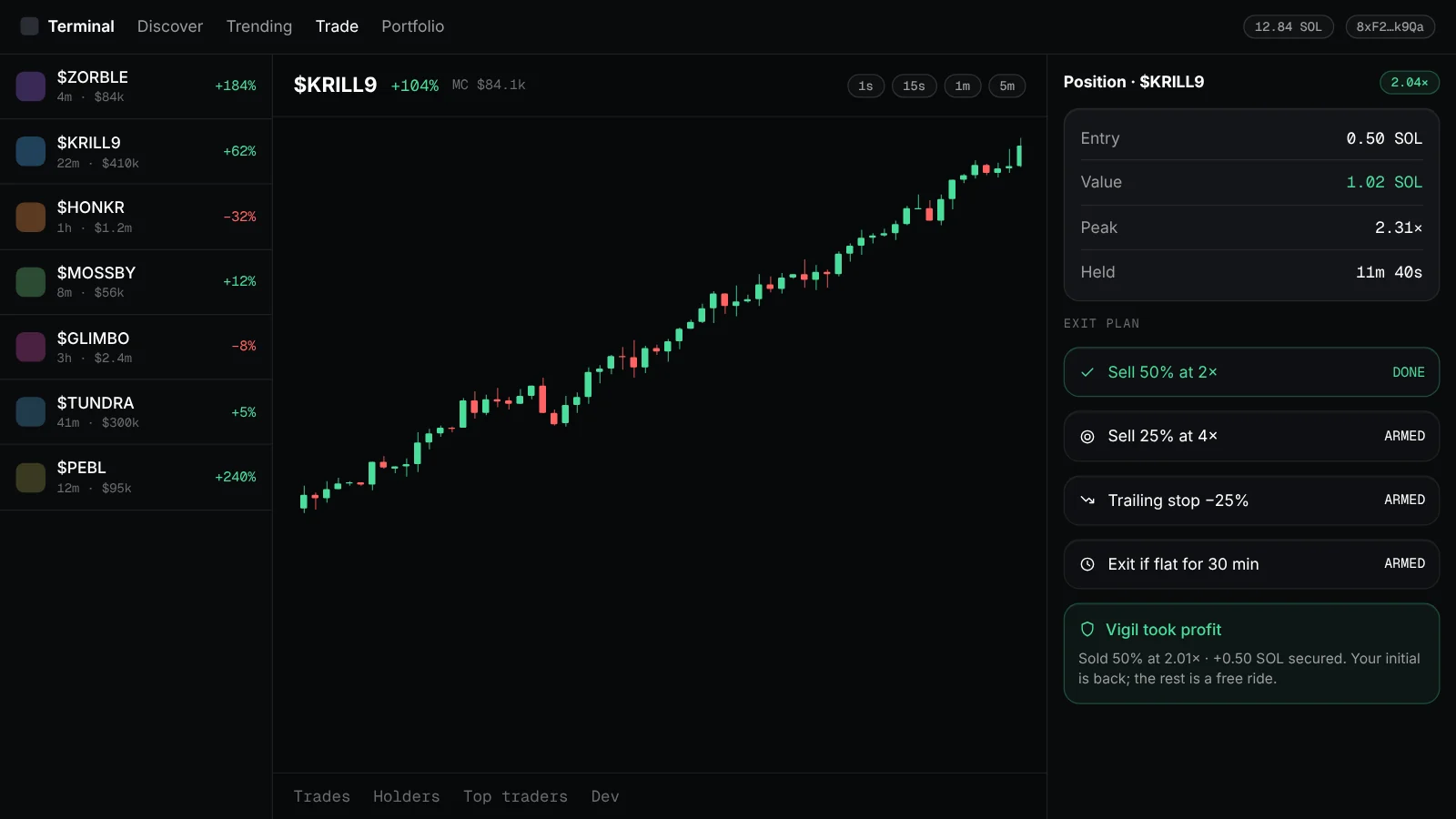
Set a ladder once: half at 2×, a quarter at 4×, trailing stop on the rest. Vigil places each order through your terminal the moment the price gets there.
Before any buy, Vigil reads the token: liquidity, holder spread, mint and freeze authority, dev wallet, bundled supply, age. Miss your bar and the buy stays locked.
Re-buying a coin seconds after a stop, doubling size after a loss, clicking faster than you can read. Vigil spots it and steps in.
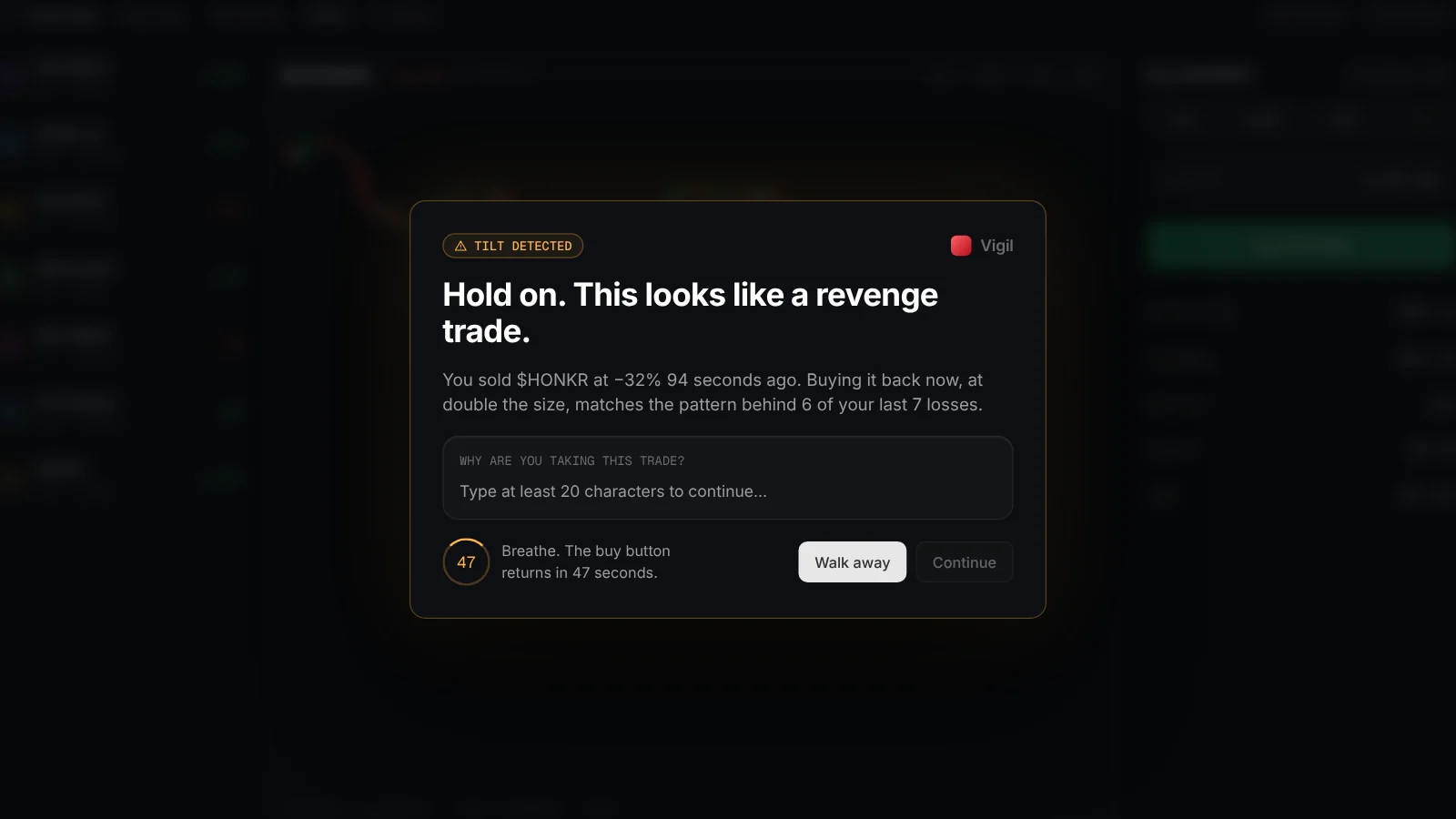
It learns what your bad trades look like: the hour, the speed, the size, the coin you just lost on. When the pattern starts again, it slows you down, asks why, and waits for the answer.
Vigil logs everything automatically and reviews it with you. Not motivation: evidence, and a rule to fix it.
Entry, exit, size, the rule that fired and how you felt. No spreadsheet.
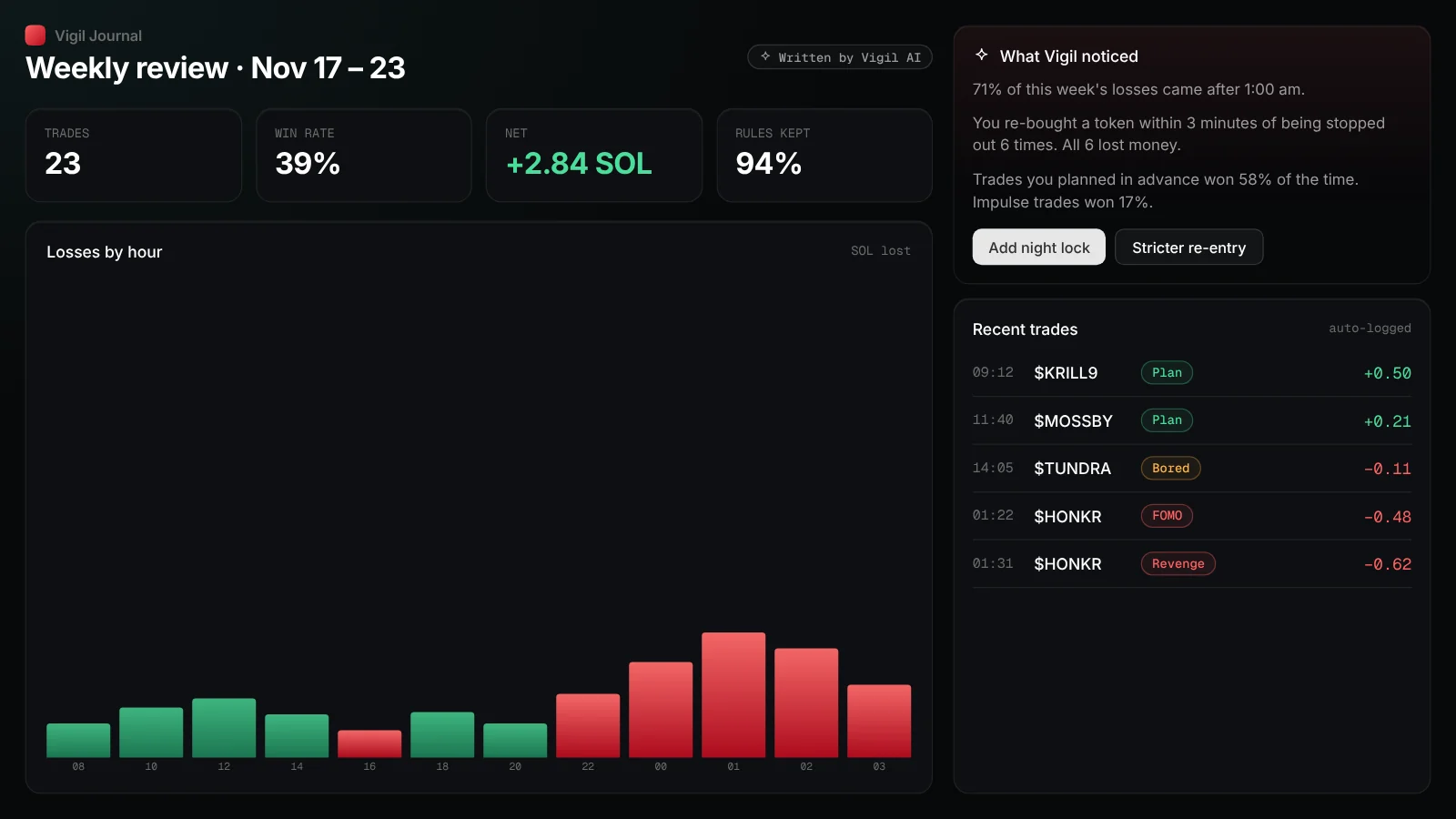
A short report on what worked, what didn't, and the habits costing you most.
Lose most of your money after midnight? Vigil drafts the night lock for you.
Every day you keep your rules builds your discipline score and your streak.
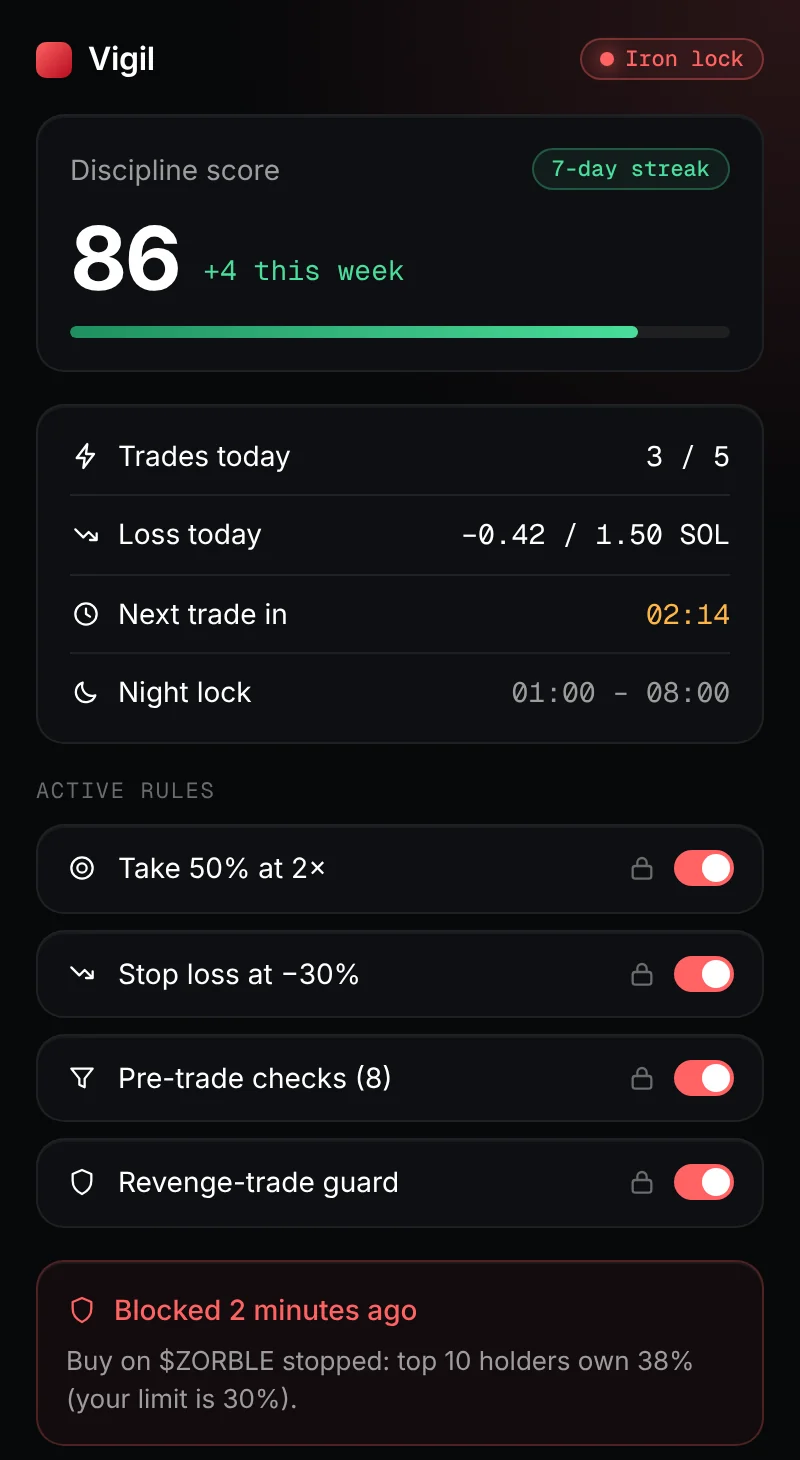
You make the rules while you're clear-headed. Vigil makes sure you keep them at 2 am, after three losses, with one more coin on screen.
Features
Vigil sits between you and the buy button. It reads the page, checks your rules and acts in milliseconds, on the terminal you already use.
Vigil scores each token against your minimums before the order can go through, and shows exactly which check failed.
Updated in real time.
Take-profit ladders, hard stops, trailing stops and time stops, placed through your terminal.
From a gentle warning to a hard lock that even you can't switch off tonight.
Ask why a trade was blocked, what your worst habit is, or what rule would have saved last week.
Why is my buy button grey?
Your top-10 holder check failed: 38% against your 30% limit. Four of those wallets were funded by the dev.
Fair. What's my worst habit this week?
Buying back in after a stop. You did it 6 times and lost every one. Want a 20-minute re-entry lock?
Vigil never touches your keys or your funds. It works through the terminal you're already signed in to.
Set up
No new terminal to learn and no wallet to connect.
Install the extension and pin it. It works in Chrome, Brave, Edge and Arc.
Start from Strict, Balanced or Aggressive, then tune every number in the rule builder.
Open your terminal as normal. Vigil shows a small status bar and steps in only when a rule says so.
Rule library
Every rule has numbers you set. Combine them freely; Vigil checks them all on every click.
Plain-English rules
Type a rule in your own words. Vigil's AI turns it into numbers, shows you exactly what it will enforce, and asks you to confirm.
“Never buy anything younger than 10 minutes, and if I lose three in a row, make me take an hour off.”
Lock levels
Each rule can have its own level. Most traders start on Firm and move their worst habits to Iron.
Warn
A reminder when you're about to break a rule. You decide.
Pause
A forced pause and a typed reason before you can continue.
Most effective
Lock
The buy button is gone. No override, no matter how sure you feel.
“Every trader has rules. Almost nobody keeps them at 2 am. That gap is where accounts go to zero.”
$VIGIL
The core rules are free for everyone. Holding $VIGIL in the wallet you trade from unlocks the AI and the deeper tools.
0 tokens
Everything you need to stop overtrading.
Holder
250k $VIGIL
The full agent, with AI that knows your trading.
1M $VIGIL
For traders who want accountability with others.
FAQ
No. Vigil never asks for a seed phrase or private key and has no way to move or withdraw money. It works inside the trading terminal you're already signed in to, using that terminal's own buy and sell controls.
When a take-profit or stop level is hit, Vigil uses your terminal's sell controls for you, or places the terminal's native limit orders when it supports them. You set the exact percentages and multiples.
Vigil runs in Chrome and Chromium browsers including Brave, Edge and Arc. It supports the major Solana trading terminals, and you choose which sites it's allowed to act on. The current list is on the extension's store page.
On Soft and Firm, you can, at the cost of a logged override. On Iron, locks can't be lifted early, rule changes take 24 hours to apply, and if you add a buddy they're notified if you try to remove the extension.
It reads your trade history to find the patterns behind your losses, writes your weekly review, explains every block in plain words, turns plain-English rules into settings, and suggests new rules with the evidence for each.
Your rules and journal are stored on your device. AI reviews send only the trade data needed for the review, never wallet keys, and you can turn AI features off entirely.
The core rules are free. Holding $VIGIL in the wallet you trade from unlocks the AI coach, Iron lock, the full rule library and accountability groups. Vigil checks your balance read-only; it never asks you to sign a transaction.
No tool can promise that. Vigil makes sure you follow the plan you wrote. If the plan is good, keeping it is usually what's been missing.
Add Vigil to Chrome and set your first rule in under two minutes.